Why it exists
AlfyAI is the AI assistant I use every day, and it runs on my own hardware. Its model is dumber but faster, less intelligent but private, and less knowledgeable but more moldable than the big ones.
So it works next to ChatGPT. It takes the jobs where peak intelligence makes little difference: anything private, anything I want to shape to my own way of working, and the small tasks I repeat every week.
Dumber but faster. Less intelligent but private.
How it became its own platform
It began in March 2026 as langflow-chat: a chat window of my own on top of Langflow, an existing tool for building AI pipelines, with everything running on local hardware. Its first job was translation. My father speaks Hungarian, so the pipeline translated his messages to English for the model, and the answers back.
Building on Langflow got it running quickly, but every new feature meant working around it: custom Python nodes, fixes to its stream, workarounds for tools, and no way to show the model’s reasoning on its own. In June the recurring failures still sat in Langflow’s opaque, hard-to-test execution, so I retired it and moved the whole pipeline into TypeScript in the repository, where tests can reach it.
Memory went the same way in July. The self-hosted memory service needed a sync layer of about 1,650 lines, and an audit found that most of what it had stored was junk, so a local memory with a judge replaced it. The translation step had already gone in April, once the cloud models it could use handled Hungarian natively.
When an outside part kept breaking, I replaced it with code I could test.
What it does
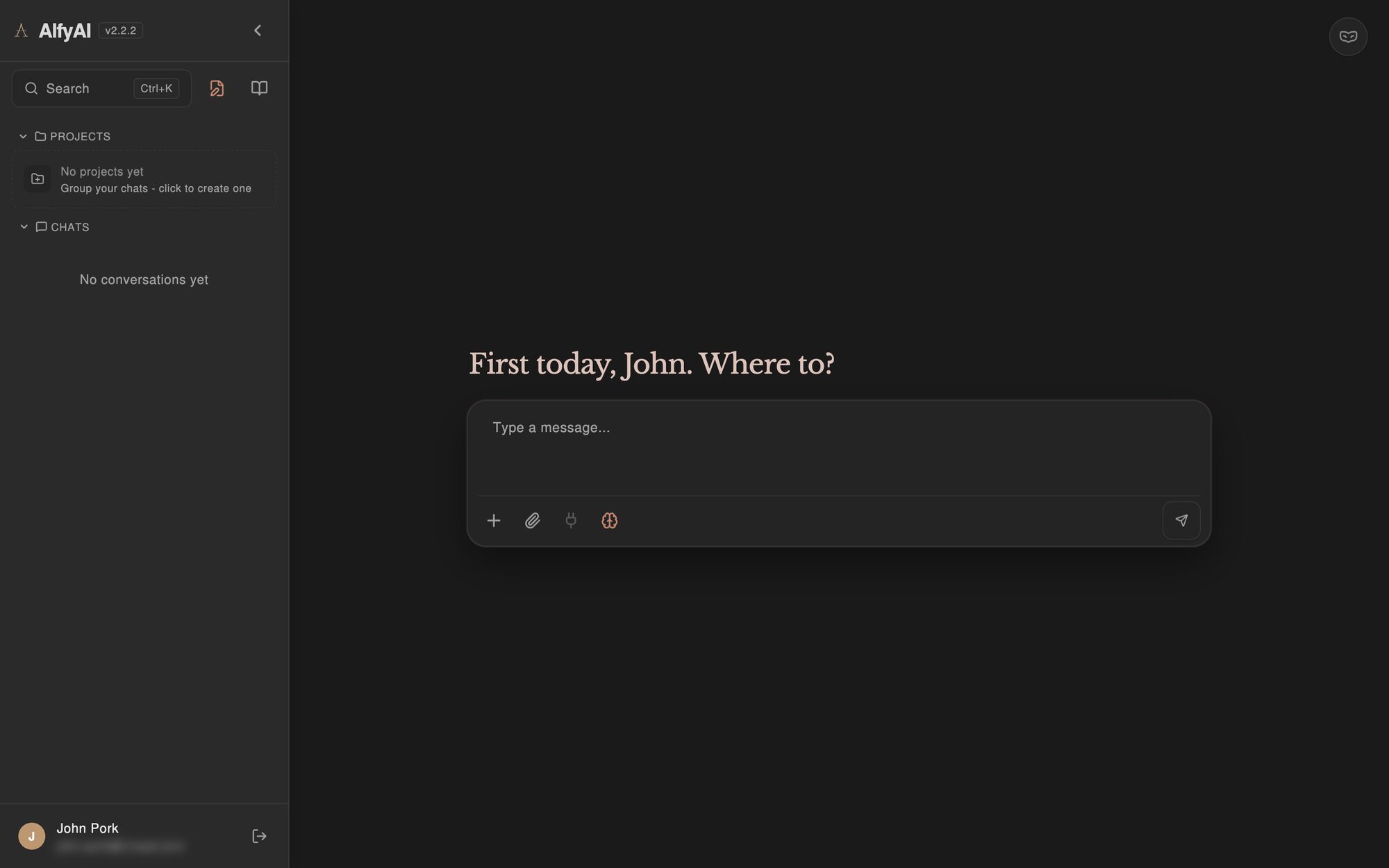
It started as a chat window and grew out of my own daily use. Around the conversation it keeps a memory, a knowledge base, projects and about 18 tools the model can call: web research, maps and routing, making files, running Python, image search and connected accounts.
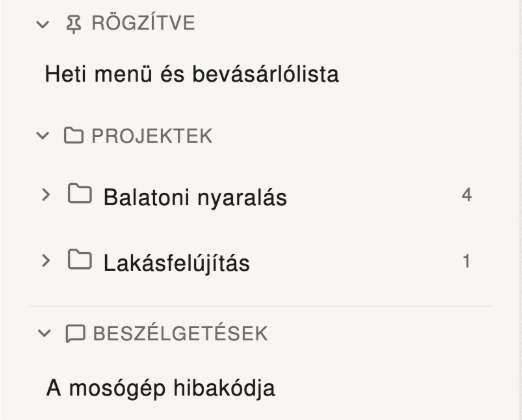
Three rules shape all of it: you can see what Alfy did, you decide what it keeps, and it fits the way I actually work. The screens above are the welcome tour every new account sees, shown here with Hungarian sample content.
It makes things, and keeps them
Ask for a document, a small app or a canvas, and it appears beside the chat, where you can edit and download it. It stays there: every chat lists what it made, so nothing disappears up the scroll.
You decide what changes
An assistant that edits your work should never do it behind your back. What Alfy rewrites is marked and waits for “Keep” or “Undo”, what you changed yourself it leaves alone, and the history keeps every version, listed by day.
A memory you can read
What Alfy remembers is up to you. A judge checks every memory before it is saved, the Memory Profile shows what it keeps in plain sentences you can correct, and memory can be switched off, or skipped for one chat in incognito.
Your own accounts, connected
Connections link Nextcloud, Immich, email, Google, iCloud, Plex, OwnTracks, GitHub, OneDrive and any CalDAV calendar, and old ChatGPT conversations can be imported. Alfy can read what is already yours, and writes only if you allow it.
Built from daily use
Drag chats into project folders, queue a message while a reply is still streaming, edit a sent message, or stop a reply halfway.
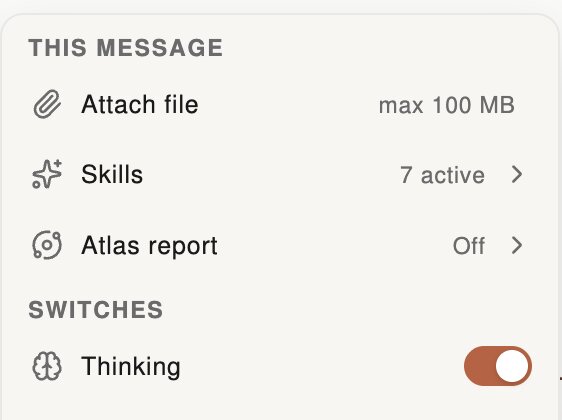
One + for the extras
Files, skills, long research reports with sources and the thinking switch all sit behind the + in the message box.
The conversation
For the conversation itself I used Erika Hall’s model: a goal, an action, a response and a reaction. When I read her book, I found I had already been designing that way.
Consistency was the quality I cared about most.
- 4.1Thinking blocks collapse on their own.
- 4.2Tool calls are shown in plain words, so you can see what Alfy did.
- 4.3An evidence tab shows what an answer is based on.
- 4.4The logo animates while a reply is being written, for a little personality.
- 4.5The interface is built with accessibility in mind.
Under the hood
- 5.1Every change goes to a staging copy first.
- 5.2Each release builds into its own folder, goes live with one atomic symlink flip, and rolls back by itself if the health check fails.
- 5.3Architecture decisions are written down as ADRs in the repository.
- 5.4Memory runs locally, with no outside memory service.
- 5.5Uploads are read by MinerU, which also handles OCR.
- 5.6I researched KV-cache offloading, quantization and the VRAM needed for two to four people at once.
How it was made
AI wrote every line of the code. I directed it: the product scope, the UX flows, the architecture, the server, the choice of models and the order of the work.
- 6.1Test-driven work with agents kept the output clean: a failing test, then the code that passes it, then a cleanup, again and again.
- 6.2Feature creep nearly sank it. I chose a smaller, more refined product over one twice the size.
- 6.3Talking it through with others showed me what AI is bad at, and what not to build.
- 6.4The translation pipeline showed me where model size and hardware set the limits: small models broke down under load.